Propellerads
Remix OS for PC (Developer version) ISO

Remix OS for PC (Developer version) ISO

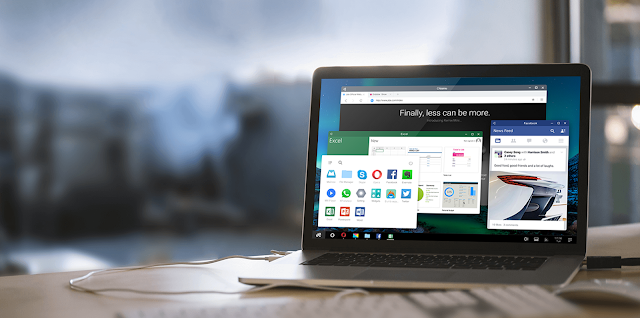
Remix OS is our state of the art Android-based operating system. We mean it when we say you get a PC experience unlike anything on Android and an Android experience unlike anything on a PC. The innovative features we’ve brought to Remix OS 2.0 have been meticulously engineered to bring you the best of both worlds – the harmonious fusion of a mobile and desktop experience.

This is an alpha version intended for developers and early adopters who don’t mind a bug or two.
Android was designed for touchscreens and as there isn’t a touchscreen on most PCs, we want you to be aware that apps may perform differently.

Minimum system requirements

  • A USB 3.0 flash drive that supports FAT32 format, with a minimum capacity of 8GB and a recommended writing speed of 20MB/s.
  • A PC with USB legacy boot option.

Instructions to launch Remix OS for PC

  • Download Remix OS for PC package and then unzip the file.
  • Insert flash drive to your PC.
  • Open Remix OS USB Tool and follow the instructions to burn the flash drive.
  • Reboot your PC.
  • Press F12 (PC)/ Option (Mac) while booting and enter Boot Menu.
  • Select "USB Storage Device" as boot option under Legacy Mode.
  • Select either "Guest Mode" or "Resident Mode" to start Remix OS.
Infos:

Version: 2016011201
Release Date: 2016-01-12
Size: 692.15 MB

Screenshots:

Download Links:


Download

Remix OS ISO (693 MB)

YouWave Android Lollipop Emulator v5.2 x64 Premium Setup + Crack

YouWave Android Lollipop Emulator v5.2 x64 Premium Setup + Crack

YouWave Emulator runs Android apps on your Windows PC. A big, beefy piece of software that creates a virtual Android environment inside Windows, YouWave is hardly app-like itself, and the apps it runs don’t always transition well from the little touchscreen to the big window. But YouWave runs your favorite Android apps on your PC, and that’s more than enough for many users. YouWave isn’t free, but you can try it free for 10 days.
Runs Android apps and app stores on your PC, no phone required Download thousands of apps online via app stores within youwave High performance – The fastest way to run Android on pc Ease of Use – Easy to install. Easy to import and run apps
Features
  • Android Lollipop v5.1.1
  • Runs Android apps and app stores on your PC, no phone required
  • Download thousands of apps online via app stores within youwave
  • High performance – The fastest way to run Android on pc
  • Easy to use – Easy to install. Easy to import and run apps
What’s New 
  • Fixed an “Android OS not ready” issue in 5.1
How To Crack ?
  1. Download and Install Youwave From The Links Given Below (Skip if Installed)
  2. Download and Run Crack From The Links Given Below
  3. Select Youwave’s Directory (If Incorrect)
  4. Click Crack and Wait Till Message of Successful Activation Appears
  5. Done, Enjoy 
Screenshots:
Download Links:
YouWave for Android Premium 5.0 (LifeTime Crack) Full Version

YouWave for Android Premium 5.0 (LifeTime Crack) Full Version

Here is a powerful program YouWave for Android Premium 5.0 (LifeTime Full Version) Free Download for the operating system Windows, which lets you download and then run applications for Android, while you do not need to install the Android SDK and Sun SDK, download YouWave for Android 5.0 Full & final you can below.  If someone does not understand, this program includes a virtual machine Android, establishing that you can work with all applications and games for the mobile system.

YouWave for Android Premium 5.0 (LifeTime Full Version) Latest Direct Link 100% Working works with OS version 4.0 ICS, 2.3 Gingerbread.  You can also connect your phone after sending and receiving photos, the simulation mode has an SD card to store the data, there is a button responsible for the regulation of the volume, it is also possible to start the game will be with your computer in real time you can download applications for Android.


Interface YouWave for Android 5.0 Full Download is quite simple, especially not have to configure anything, after starting at the bottom right there is a button, you can return to the menu on the main screen, simply go back one step, there can also adjust the volume.  In general, nothing complicated, but if you still will have problems, please write in the comments or on the forum about them, I think you will be able to help all pleasant to use!


Screenshots:


Download Links:
Download

Setup + Crack (265 MB)

Download

Setup + Crack (265 MB) Mirror
Download AMIDuOS 2.0 (Android Lolipop Emulator) Cracked Full For Windows


Run Android Apps
in Windows® with AMIDuOS

It's as simple as one, two, three: Download, Install & Run!

Run Android Apps on your windows, better than Bluestacks.
AMIDuOS is a revolutionary new concept that brings the functionality, depth and fun of the Android experience to MicrosoftĂ‚® Windows devices. It runs on nearly any Windows 7 or 8 PC or tablet device for fast, easy switching between Windows and Android environments - without the need to dual boot!

Full Android Experience
AMIDuOS is nothing less than the full Android experience, with all the features that the latest version of the popular mobile operating system has to offer. It runs fast, looks crisp and sharp and performs with no limitations – because it is 100% native Android running on your Windows hardware!
AMIDuOS can run nearly all of the Android applications available in Android app markets. To get you started, it comes with preloaded Amazon Appstore. To make AMIDuOS your own, simply add your favorite Android app markets with the AMIDuOS package installer. AMIDuOS is also ARM v7 compatible, so it can run most popular ARM applications as well.

Screenshots: