Propellerads
How to Get Transparent CMD | Terminal On Any Windows Like On Linux Using ConEmu

How to Get Transparent CMD | Terminal On Any Windows Like On Linux Using ConEmu


Subscribe to this channel for more: https://www.youtube.com/channel/UCmcXVCxNwW5rp-KAc8qadbQ


Get Free SSL Certificate | Install Lets Encrypt On Website To Get HTTPs (cPanel)

Get Free SSL Certificate | Install Lets Encrypt On Website To Get HTTPs (cPanel)


Subscribe to this channel for more: https://www.youtube.com/channel/UCmcXVCxNwW5rp-KAc8qadbQ


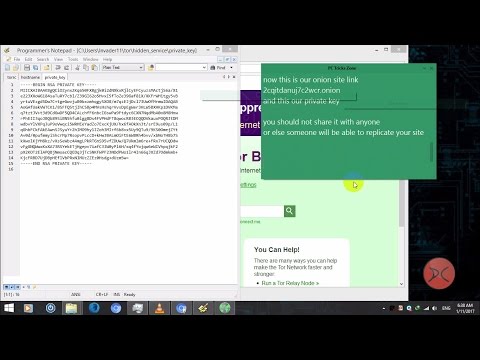
How To Create | Make Tor .Onion Sites From Windows, Linux, Mac (Easy)

How To Create | Make Tor .Onion Sites From Windows, Linux, Mac (Easy)


Subscribe to this channel for more: https://www.youtube.com/channel/UCmcXVCxNwW5rp-KAc8qadbQ


How to Share Files Anonymously Using Tor From Windows, Linux or Mac

How to Share Files Anonymously Using Tor From Windows, Linux or Mac 

Subscribe to this channel for more: https://www.youtube.com/channel/UCmcXVCxNwW5rp-KAc8qadbQ


Backconnect / Reverse Shell - Create PHP Backdoor and Backconnect To a Webserver using Weevely

Backconnect / Reverse Shell - Create PHP Backdoor and Backconnect To a Webserver using Weevely


Subscribe to this channel for more: https://www.youtube.com/channel/UCXk_1g-RrzrNu2WTjpmF3_Q


Find Admin Control Panel Of a Website Using Perl Script On Linux or Windows

Find Admin Control Panel Of a Website Using Perl Script On Linux or Windows

Subscribe to this channel for more: https://www.youtube.com/channel/UCXk_1g-RrzrNu2WTjpmF3_Q


How to Hack Website Tutorial Video - Find, Inject and Deface


Subscribe these channel for more:

(Hack Website) Using google dorks to find SQLi Vulnerable Sites (Part 1-3)


(Hack Website) Automated SQL injection using SQLi Dumpper (Part 2-3)


Or Manual Injection

(Hack Website) How to Inject Manually on SQL Vulnerable Sites Step by Step (Manual Injection)


And Last

(Hack Website) How to Upload Shell And Defacing The Site (Part 3-3)


Subscribe these channel for more:

Dumpper 80.9 Multi Lingual Version 1 MB Only (With Jumpstart little and wps pin)

Dumpper 80.9 Multi Lingual Version 1 MB Only (With Jumpstart little and wps pin)

Dumpper is a portable and free software focused on the management of wireless networks in Windows. It also comes with several methods to display and check some security flaws discovered in both the WPS protocol, and obtaining the WPA / WPA2 key default Based on the BSSID and Essid.

Features:
Scans wireless networks and displays the default key networks known
WPS-enabled networks scans and displays the default pin in networks known
Manage wireless profiles and displays its parameters
System upgrade from the same program.

Whats new V.80.9

      ● Wps: Added mac compatible with ComputePIN algorithm: E0: 41: 36 (MOVISTAR_XXXX)
      ● Wps: Added mac compatible with ComputePIN algorithm: 50: A7: 2B (Orange-XXXX)
      ● Wps: Added mac compatible with ComputePIN algorithm: 68: A0: F6 (Orange-XXXX)
      ● Wps: Added mac compatible with ComputePIN algorithm: F4: 8E: 92 (Orange-XXXX)
      ● Wps: Added mac compatible with ComputePIN algorithm: 84: DB: AC (Orange-XXXX)
Screenshots:


How to use:


Download links:


Please Follow Us To Get Updated :)

1 MB (Dumpper 80.9  jumpstart )
How To Change / Spoof Mac Address On Windows - Change Mac Address on Any Windows

How To Change / Spoof Mac Address On Windows - Change Mac Address on Any Windows

by PC Tricks Zone

Subscribe to this channel for more:

How To Get Direct Download Links For Any Movies And TV Series Using Google. movie direct link

How To Get Direct Download Links For Any Movies And TV Series Using Google. movie direct link


by PC Tricks Zone

Subscribe to this channel for more:

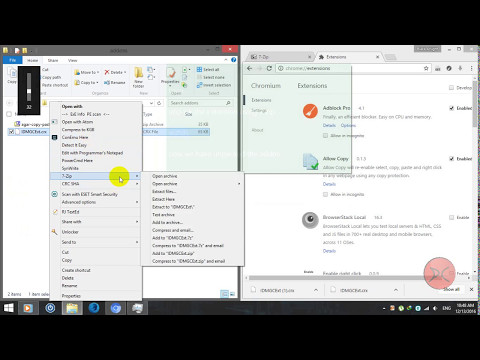
How to Install Packed Or Unpacked Addons On Chrome (Any Chromium based browsers) in Offline Mode

How to Install Packed Or Unpacked Addons On Chrome (Any Chromium based browsers) in Offline Mode


by PC Tricks Zone

Subscribe to this channel for more:


How To Search Files And Folders Super Fast On Windows Using Everything And Configure it
How To Make A MultiBoot USB Drive Using YUMI Boot Multiple OS using same USB - make multiboot usb

How To Make A MultiBoot USB Drive Using YUMI Boot Multiple OS using same USB - make multiboot usb


Subscribe this channel for more:


Animated Rainmeter Skins - Customize Desktop Using RainMeter With Cool Skins


Animated Rainmeter Skins - Customize Desktop Using Rain Meter With Cool Skins

Subscribe this channel for more:


How to Get a MasterCard For Any County For Free To Get Online Payment (Tutorial) (With 25$ Bonus)

How to Get a MasterCard For Any County For Free To Get Online Payment (Tutorial) (With 25$ Bonus)

This tutorial will teach you how to get a MasterCard ( with American Bank Account) for free no matter which country from you are. But surely your local banks should accept MasterCard to withdraw your earning After getting the MasterCard you will be able to accept online payment and also you can integrate your card to Paypal.

Step 1:

Go to the below link and register there. Click images for larger view.

Register with this link to get 25 $ bonus instantly.

Note: This is my affiliate link, so if you register with this link you will get 25 $ bonus else you wont.

After going to that link a page will appear like the below one. Click on the signup now button.


Step 2 :

After clicking the signup button new page will load like this,

Now fill the correct information in the form and click next.
Please note that entering incorrect information can result in several problems.

After clicking next , another form will appear. Like in the pic below,

Now this form could be confusing to you, do as below
  • You can select your country for sure
  • Street address = you can find it in your license or id card or passport or national id
  • You will figure out about the city 
  • Now about postal/zip code = you can always google (ex: what is kathmandu postal zip code?)
  • And the last one for your mobile number, be sure to input correctly.:)
 For Nepal here's a list in Wikipedia  of postal codes.

After filling this form, click next and a new form will appear, like in the pic below

Note : Password must contain 7 characters ( at least 1 alphabetic and 1 number), only alphabetic and numbers are allowed.

This ones simple, fill it up and click next, and then

The last page of registration will appear, this form is very important, you will have to input a valid shipping address, do as in the pic and read below,

Do as below,
  • Choose your id type to confirm your identification
  • After that enter ID number and country
  • And tick on Enter alternative shipping address, in the shipping address input the PO BOX No. and street name.
  • Now tick all the options to agree and then order.
Note. Specially For Nepalese, if you dont have any PO BOX NO you can use PO BOX of organizations nearby you and be sure you know someone in there, for Hetauda you can use Team TV or Hetauda FM, but first be sure to talk to them.

After clicking the order button a page will load saying Review in process, if you have entered correct infos your account will be approved within 48 hours, normally. 

Step 3:
After your account is approved a confirmation email will arrive, goto email and do as it says and login to your account.

Step 4:
After several days of waiting when your card arrives, login  to your account and activate your card by entering the 16 digit card number and setting a pin. That all.

Note: If you are wondering how to withdraw money from the card here is how to do it.
Goto to this link and enter your country and city, and it will show you where are ATMs located with MasterCard support.


For Hetauda Nepal, as i know Nabil Bank, Nepal SBI Bank, Nepal Bank any 2 oothers support Mastercard, i forgot other.
Hope you find this helpful. :)